Course Sign Up - LMS
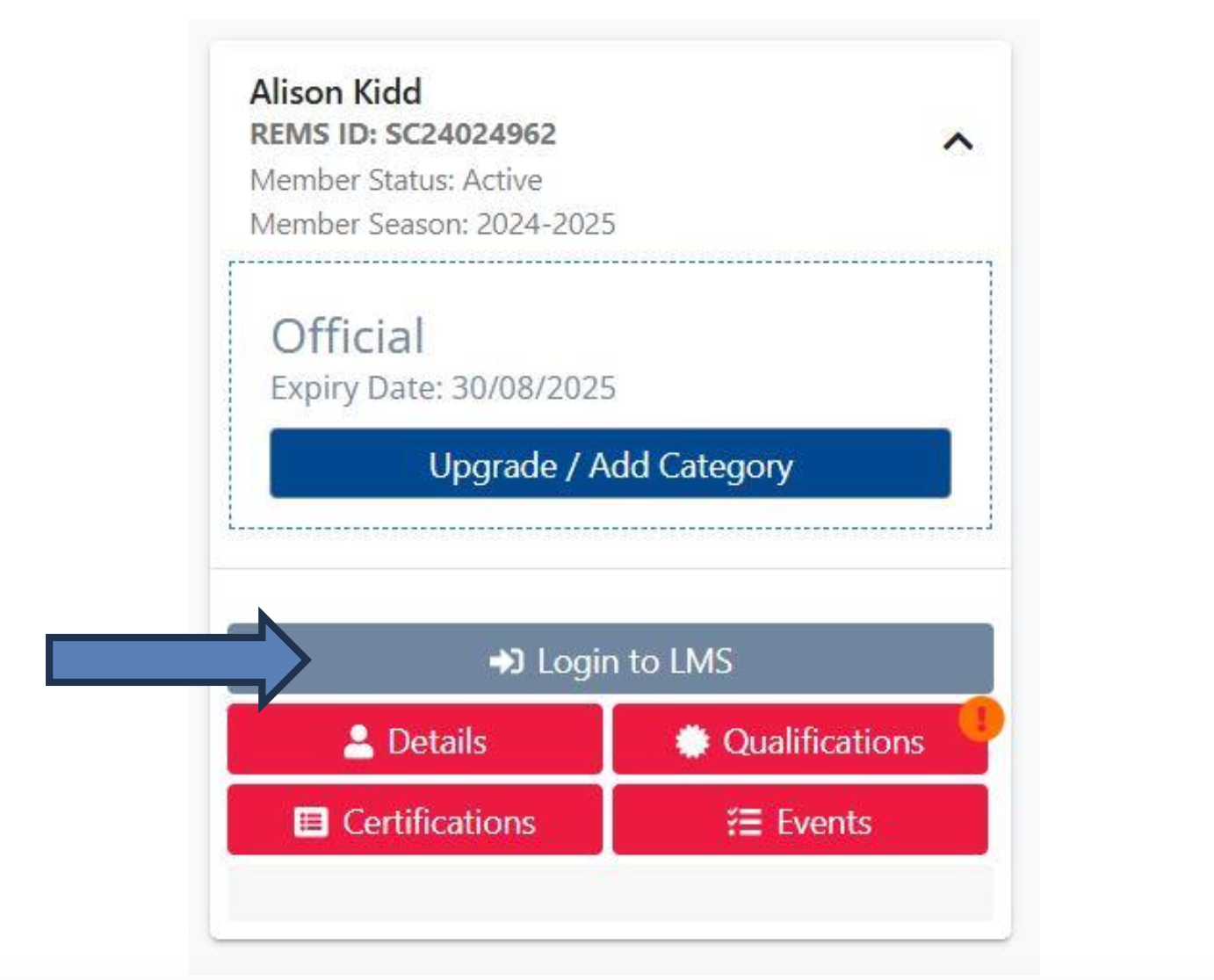
Step one is logging into your account. Please go to: https://swimming.canada.sportsmanager.ie/sportlomo/users/login , once you are here you will need to enter your log in details. You will see your swimmers here, but you should also see your official’s account. Please click on “Log In to LMS” [you should see this]:
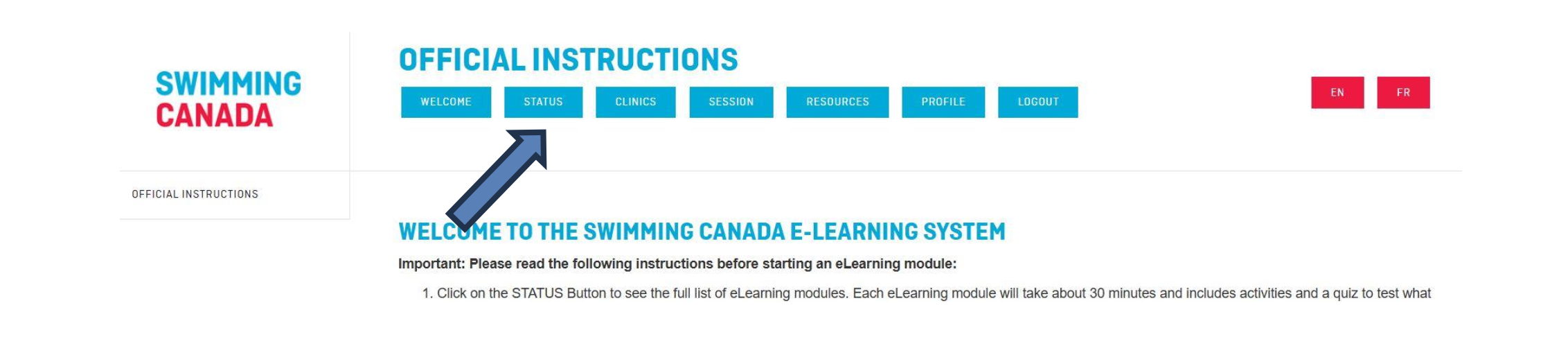
It will take you to another screen where you will need to select again, “Login to LMS” but first you must use the “Login As” drop down menu and select “Official”. This will take you to your account on the Swim Canada website. Once there, you select “Status”:
Once there you will be able to scroll down to see the list of available online courses and training available at every level. If you are new to officiating, you should take both emodule learning courses for Timekeeping and Safety Marshall.
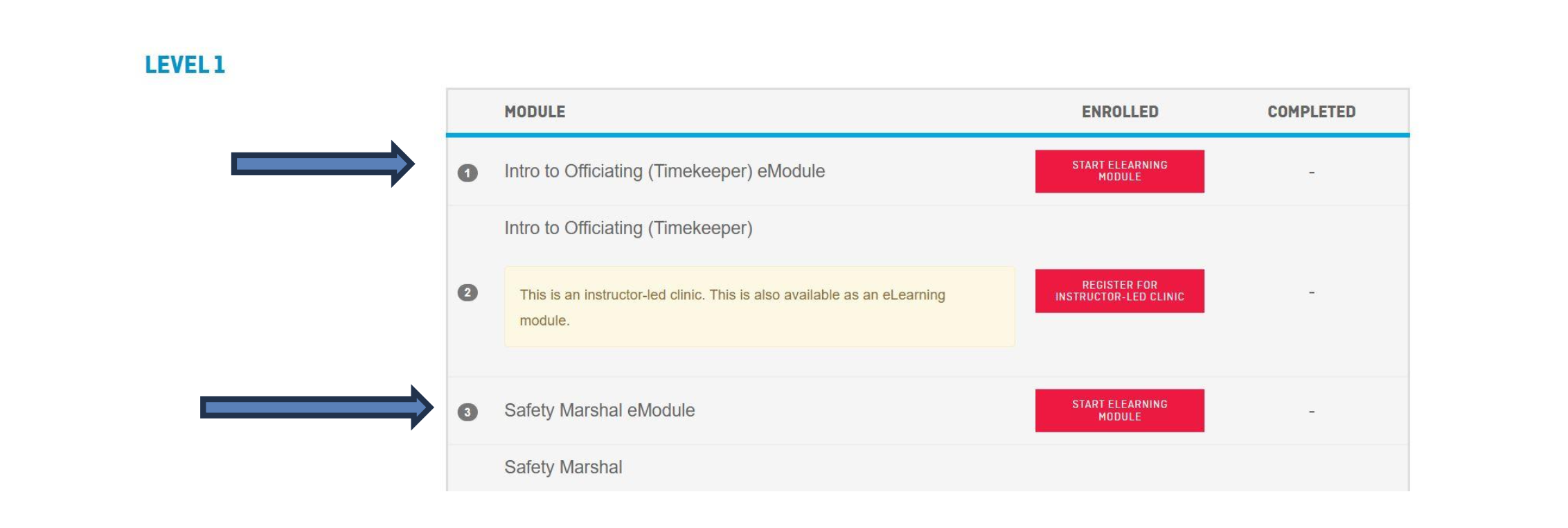
From there, it goes right into the course.
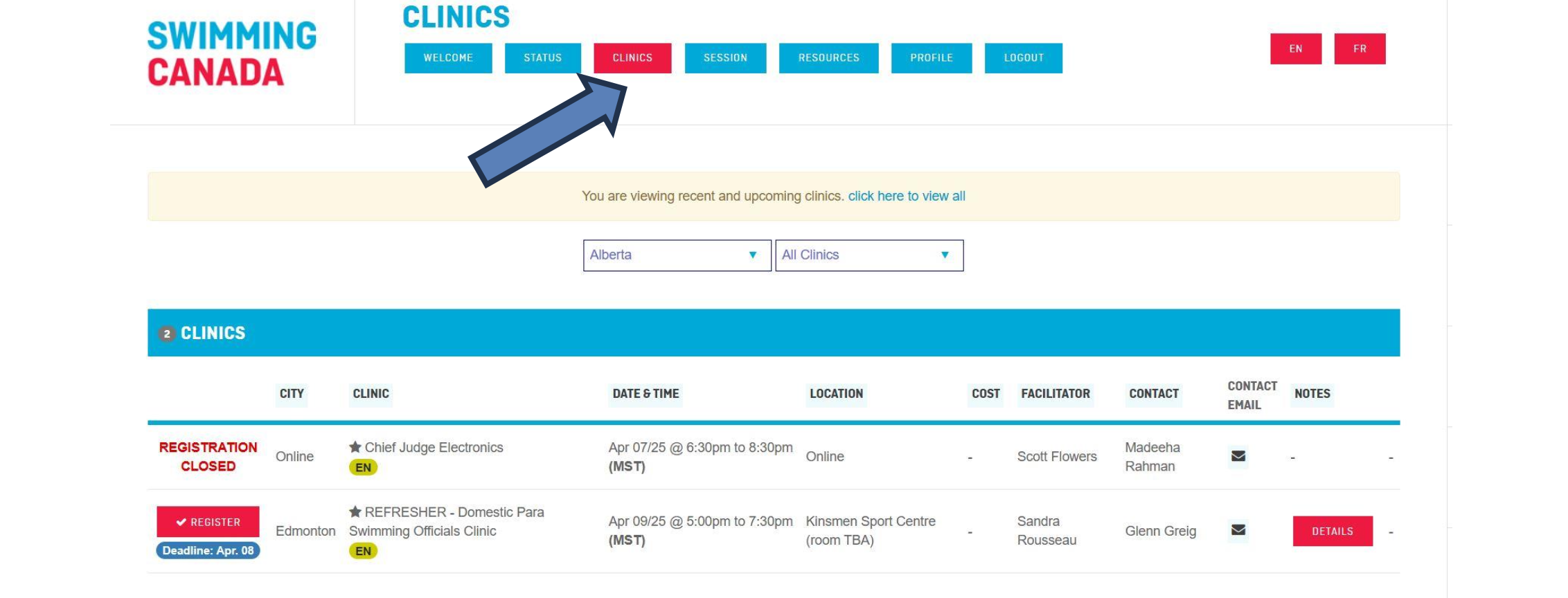
Usually, at the beginning of the season there are numerous clinics available online [with instructors] or in-person for positions like Stroke Judge or Judge of Turns. These are level 2 courses which must be completed either instructor led online or in person. So ensure you log-in at the beginning of the season once your officials account is renewed to ensure you sign up early!
You can access these courses by clicking on clinics:
Please also note, once you have completed a specific course [timekeeping], you will need to ensure that you have a deck evaluation form signed off after 2 sessions by the referee.